Choosing a Smart Whiteboard manufacturer in China involves more than comparing screen sizes or prices. Buyers also need to assess touch accuracy, display clarity, software compatibility, and after-sales support. A crisp 4K screen may look impressive in a showroom, but daily performance depends on details such as writing latency, glare control, and how easily teachers can share content.
This guide introduces ten Chinese manufacturers serving education, business, and collaboration markets. It offers a practical starting point, not a guarantee that every company fits every project. Manufacturer capabilities, product specifications, and service coverage can change, so verify current information directly before making a purchasing decision. Ask for a live demonstration. Test handwriting with a fingertip and stylus, connect the devices your team already uses, and check whether replacement parts are available in your region.
The comparison focuses on product range, technical features, customization, production experience, and customer support. These factors can reveal meaningful differences between suppliers, even when product images seem similar. Still, published claims do not always show how a board performs in a busy classroom or a bright meeting room. That gap deserves attention. Use the profiles to shortlist candidates, then confirm specifications, warranty terms, software updates, and installation requirements with each manufacturer. A careful review takes time, but it can help prevent avoidable costs and mismatched equipment.
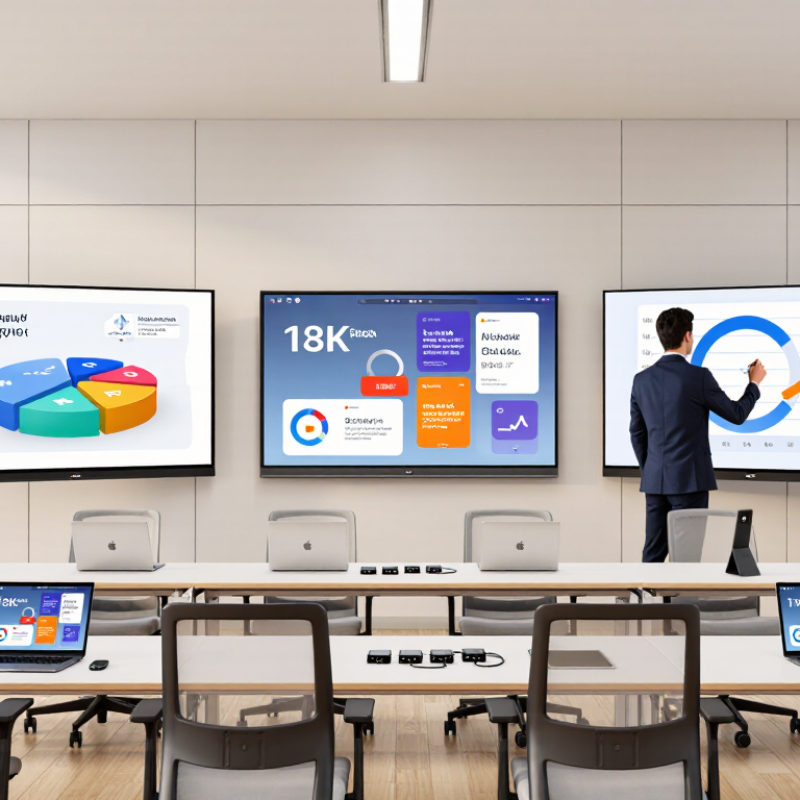
Understanding Smart Whiteboards and Their Core Features
Smart whiteboards are interactive displays designed for teaching, meetings, and visual collaboration. They combine touch input, wireless casting, digital annotation, speakers, cameras, and cloud access in one large screen. According to the MarketsandMarkets Interactive Whiteboard Market report, the sector was valued at approximately USD 4.9 billion in 2023 and may reach USD 8.7 billion by 2028. This growth reflects wider demand for connected learning spaces.
Core performance depends on more than screen size. A practical board should offer 4K resolution, low-latency writing, at least 20-point touch, and accurate palm rejection. Infrared or capacitive sensors translate pen pressure into smooth lines. Built-in microphones and cameras support hybrid meetings, while USB-C and wireless casting reduce cable clutter. Some models also use Android systems, Windows modules, or removable computing units.
The details matter.
During supplier evaluation, buyers should test handwriting delay, glare under ceiling lights, speaker clarity, and screen cleaning. Software compatibility deserves equal attention. A beautiful panel becomes frustrating when files open slowly or annotations disappear. Reports from Futuresource Consulting show continued growth in interactive display adoption, especially across education and corporate collaboration. However, market forecasts are not guarantees. Real performance still depends on training, network quality, warranty response, and the room itself. A manufacturer’s specification sheet cannot reveal every daily weakness.
A serious shortlist starts with evidence, not catalogue images. MarketsandMarkets forecasts double-digit growth for interactive displays through 2028. This trend increases pressure on suppliers and buyers. Request audited production capacity, monthly output, defect rates, and recent shipment records. A factory visit should include panel assembly, aging tests, calibration, and packaging inspections. Shiny showrooms can mislead.
Technical validation matters more than low pricing. Test touch accuracy at screen edges, writing latency, brightness uniformity, speaker distortion, and wireless casting under crowded networks. Check operating-system updates, data encryption, user permissions, and platform compatibility. Ask for third-party certificates, including EMC, safety, RoHS, and regional conformity marks. Certificates must match the exact model. Not a similar one.
Service separates capable manufacturers from temporary exporters. UNESCO’s 2023 Global Education Monitoring Report states that only 40% of primary schools globally have internet access. Therefore, offline teaching tools, local storage, and simple recovery procedures deserve attention. Evaluate spare-part availability, technician response times, warranty exclusions, and software support duration. Total cost includes freight, installation, training, and failed-unit replacement. No factory is flawless. Buyers should record weaknesses, repeat sample tests, and demand measurable corrective actions before signing.
China’s smart whiteboard sector includes factories with very different capabilities. Futuresource Consulting reported that interactive displays represented about 81% of classroom display shipments globally in 2023. That demand has encouraged deeper specialization.
Specifications need careful checking. MarketsandMarkets estimated the global smart board market at roughly USD 5.5 billion in 2023, with continued growth expected through 2028. However, market forecasts differ because analysts define “smart whiteboard” differently. Public factory data also remains uneven. A reliable buyer should request touch-latency results, brightness measurements, warranty terms, sample units, and independent safety documentation. Factory visits can reveal details that brochures hide, such as uneven frame gaps or weak cable management. Some suppliers look impressive online. Their after-sales systems may still be developing.
Comparing smart whiteboard manufacturers in China means looking beyond screen size. Many systems use infrared touch frames, while others rely on camera-based or capacitive sensing. Infrared designs can support large displays and finger or stylus input; performance still depends on calibration and surface quality. Touch accuracy matters. A faint line near the screen edge can disrupt a lesson or meeting.
Classrooms often need multi-user writing, wireless casting, and simple lesson recording. Corporate rooms may prioritize video-conference compatibility, clear microphones, and quick access to shared files. Some panels include built-in computing, while others connect to external devices. That difference affects setup, maintenance, and upgrade options. Check how the board handles glare under bright ceiling lights, not just in product photos.
For a practical comparison, request a live demonstration using the software and devices your team already uses. Test handwriting, palm rejection, screen sharing, and recovery after a network interruption. A polished showroom can hide small delays. Ask about operating-system updates, warranty coverage, and local technical support. Specifications rarely reveal the full experience, and installation quality can vary between projects. That gap deserves attention.
| Profile | Typical Product Format | Display and Touch Technology | Computing and Software Options | Common Connectivity | Typical Market Applications | Key Selection Consideration |
|---|---|---|---|---|---|---|
| 01 — Education-focused interactive panel | All-in-one flat panel, commonly offered in classroom-sized formats such as 65–86 inches | 4K LCD with infrared multi-touch; supports finger or passive-stylus input | Embedded Android; optional OPS-compliant Windows computing module; classroom whiteboard and annotation tools | HDMI, USB, LAN, Wi-Fi, Bluetooth, and wireless screen sharing, depending on configuration | Primary and secondary classrooms, lecture rooms, and tutoring centers | Check touch accuracy, anti-glare treatment, classroom software compatibility, and service support |
| 02 — Higher-education collaboration panel | Large-format interactive flat panel, often configured for seminar and lecture spaces | 4K LCD with infrared touch; multi-user writing is available on many models | Android interface with optional Windows OPS module; supports presentation, annotation, and conferencing applications | HDMI, USB-C on selected models, LAN, Wi-Fi, Bluetooth, and wireless casting | Universities, training rooms, research presentations, and meeting spaces | Evaluate screen size against room viewing distance and confirm support for the institution’s device-management policies |
| 03 — Corporate meeting-room panel | All-in-one collaboration display, commonly available in 55–86-inch classes | 4K LCD with infrared multi-touch; some configurations include an integrated camera and microphone array | Android-based interface or optional OPS Windows module; compatible with common video-conferencing software, subject to licensing | HDMI, USB, LAN, Wi-Fi, Bluetooth, and wireless presentation | Corporate meeting rooms, hybrid meetings, and project collaboration | Confirm camera and microphone specifications, conferencing-platform compatibility, and privacy controls |
| 04 — Portable or mobile interactive display | Interactive panel supplied with or designed for a mobile floor stand | LCD display with infrared multi-touch; resolution and screen size vary by model | Embedded operating system with optional OPS computing; supports whiteboarding and wireless presentation | Commonly includes HDMI, USB, Wi-Fi, and Bluetooth; port selection varies | Flexible classrooms, shared offices, training events, and temporary presentation areas | Check stand stability, wheel locks, total weight, cable routing, and whether the stand is included |
| 05 — Projection-based interactive board | Interactive whiteboard used with a separate projector, or an interactive short-throw projection setup | Touch is typically detected by infrared or optical systems; projected image quality depends on the projector and ambient light | Computing is generally provided by a connected PC or external device; software depends on the system supplied | Connections depend on the projector and host computer; HDMI and USB are commonly used | Classrooms and training rooms that already use projection equipment | Account for projector brightness, shadowing, calibration, replacement lamps or light sources, and room lighting |
| 06 — Large-format digital whiteboard | Large interactive flat panel or tiled display for wide viewing areas | LCD-based 4K display with infrared multi-touch; very large installations may use multiple panels | Android or OPS-based computing options; supports annotation and presentation workflows | HDMI, USB, LAN, and wireless sharing are common; verify ports for the selected size and model | Auditoriums, command rooms, exhibition spaces, and large training venues | Review viewing distance, installation access, wall capacity, serviceability, and brightness under room lighting |
| 07 — Compact interactive display | Smaller all-in-one panel suited to huddle rooms and compact teaching spaces | LCD with infrared touch; resolution, touch points, and brightness vary by configuration | Embedded Android is common; optional external or OPS computing depends on the product design | Typically includes HDMI, USB, and Wi-Fi; check for LAN and USB-C if required | Small meeting rooms, office huddle spaces, and compact classrooms | Compare usable screen area, text legibility, built-in speakers, and the number of simultaneous users |
| 08 — PCAP touch collaboration display | Interactive flat panel using projected capacitive touch, generally aimed at close-range collaboration | LCD with PCAP touch; touch response and supported input methods depend on the model | May use an embedded operating system or an external computer; software is configuration-dependent | HDMI, USB, and network or wireless options vary by model | Design review, small-group collaboration, and interactive kiosks or demonstration areas | Verify compatibility with gloves or styluses, required operating system, and intended mounting orientation |
| 09 — Digital signage and interactive display | Commercial display with optional touch capability; may be deployed in landscape or portrait orientation | Commercial LCD; touch may use infrared or PCAP technology depending on the model | Embedded media player or optional computing module; content-management functions vary | HDMI, USB, LAN, and Wi-Fi are commonly available, but options differ across models | Retail, visitor information, wayfinding, reception areas, and public venues | Check operating-hour rating, portrait-mode support, remote content management, and public-use durability |
| 10 — Modular interactive display system | Configurable panel system intended for installations requiring tailored size or integration | Typically LCD-based; touch layer and multi-panel behavior depend on the selected system | External PC, OPS module, or embedded system may be used; integration is project-specific | Connections and control interfaces are selected for the installation; confirm signal and network requirements in advance | Control rooms, specialist training facilities, exhibition builds, and custom commercial projects | Request a documented bill of materials, integration drawings, warranty terms, and a clear commissioning plan |
Choosing a smart whiteboard manufacturer takes more than comparing screen size and price. Ask for the panel’s resolution, brightness, touch-point count, and expected service life. These details should suit the room: a sunlit classroom needs better glare control than a small meeting room. Test it in person. Write near the screen edges, erase quickly, and check whether palm contact creates stray marks. That matters.
Before ordering, confirm compatibility with your operating systems, video-conferencing tools, and existing equipment. Request a live demonstration with your own files, not just prepared slides. Check ports, wireless casting, user permissions, and whether software updates are included. Small details cause delays. Clarify warranty coverage, response times, replacement-part availability, and who handles installation and staff training. A low quote may exclude these services.
Ask how units are inspected before shipment and whether the manufacturer can provide test records and a clear defect process. For a larger project, evaluate a sample unit over several days; one quick demo may hide calibration drift or sluggish writing. Verify production capacity against your delivery schedule, too. I would not treat polished brochures as proof. Even careful checks leave uncertainty: long-term performance becomes clear only after real classroom use.
This suggested 100-point rubric helps buyers compare manufacturers consistently. The point allocations are a practical evaluation framework, not survey results or ratings of specific companies. Verify product specifications, warranty terms, and service coverage directly with each manufacturer.
Fill out the form below and our team will get back to you ASAP.
Snake Tray® is Green and Proudly Powered by the Sun! Snake Tray is committed to designing and manufacturing products that have many green benefits. Our products are made of recycled goods, minimize material waste, are energy efficient, use less non-renewable resources and nest together read more…
Snake Tray® 291 Skip Lane, Bay Shore NY 11706 | PHONE: 631-674-0004 | FAX: 631-674-0010 | www.bakoselectric.com | LEGAL | MADE IN USA
© 2025 SnakeTray. All rights reserved
Fill out the form below to download your document.